
Bepto Pneumatic engineer reviewing pneumatic product drawings and documentation

Bepto Pneumatic Resource Center

Pneumatic CAD drawings, PDF datasheets, and manuals—matched to your request.

Request available 2D or 3D CAD, STEP/STP models, dimensional drawings, product datasheets, installation instructions, or operation manuals for the pneumatic part you are sourcing.

  • CAD & dimensional drawings
  • PDF datasheets & specifications
  • Installation & operation manuals

Technical Resource Request

Start with the document you need. Finish with the right product conversation.

A generic pneumatic drawing is rarely enough for a machine build or replacement. Bore, stroke, voltage, port thread, mounting, accessories, materials, and series revisions can all change the applicable document.

Bepto Pneumatic uses your request to identify the product, check the available CAD or PDF route, and keep the next quotation or replacement discussion connected to the same technical details.

CAD · PDF · Manuals

Choose the pneumatic resource you want us to match.

These are request paths, not a public file library. Send the model or application details you have, and we will confirm the relevant document route.

CAD / 01

Pneumatic CAD drawings and 3D model requests

Ask for the drawing format needed for machine layout, mounting review, interference checking, or replacement comparison.

  • STEP / STP
  • 2D DWG / DXF
  • PDF dimension drawing

Format availability depends on the confirmed product series and revision.

Request this resource
PDF / 02

Product datasheets and dimensional PDF requests

Request model-matched technical data for dimensions, pressure, port size, voltage, materials, flow, or ordering review.

  • Technical datasheet
  • Dimension sheet
  • Selection or ordering data

We match the document to the product code and intended operating condition.

Request this resource
MAN / 03

Installation, operation, and maintenance manual requests

Request available instructions for installation, wiring, commissioning, adjustment, inspection, and maintenance planning.

  • Installation guidance
  • Operating instructions
  • Maintenance reference

Manual coverage varies by product family; send the label or model reference you have.

Request this resource

Product Coverage

Technical documents for the pneumatic part—not just the keyword.

Use this checklist to prepare a faster CAD drawing, PDF datasheet, or manual request.

Best starting pointModel + configuration + intended use
Product familyCommon document requestsHelpful matching details
Pneumatic cylinders2D/3D CAD, mounting dimensions, bore/stroke data, accessory and sensor referencesSeries, bore, stroke, mounting style, rod thread, sensor, and quantity
Solenoid and control valvesValve dimensions, port and thread data, voltage/wiring references, flow specificationsModel, function, port size, voltage, coil type, pressure range, and manifold need
FRL and air preparation unitsOverall dimensions, flow and pressure data, bowl/drain options, assembly referencesSeries, port size, required flow, pressure, filtration need, and configuration
Pneumatic fittings and tubingTube/thread dimensions, material and pressure data, installation and compatibility notesFitting type, tube OD, thread, material, pressure, medium, and quantity
Grippers, rotary actuators, and accessoriesCAD envelope, mounting interface, payload/torque data, switch and accessory referencesProduct type, model, load, motion, mounting space, pressure, and cycle condition
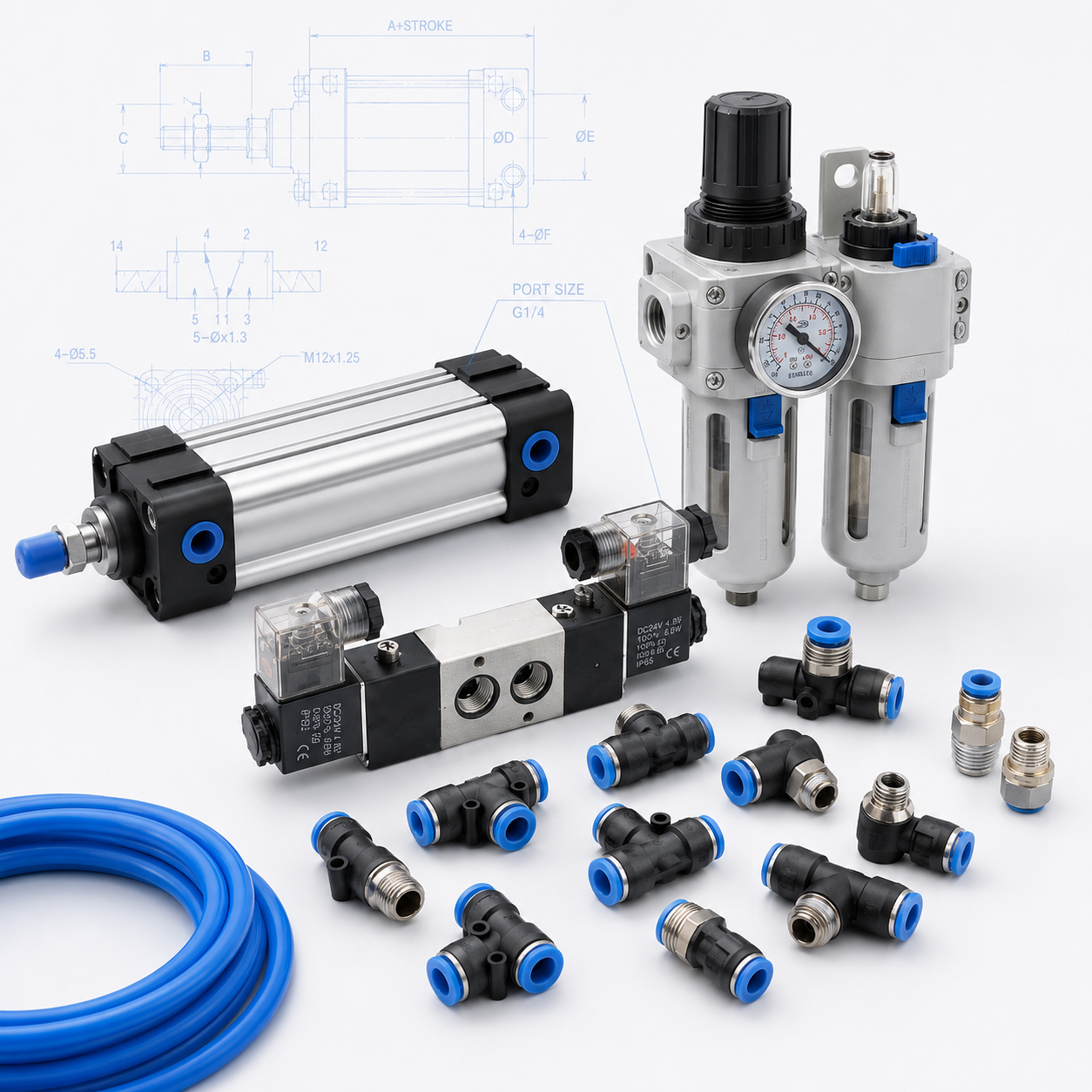
Pneumatic cylinder, valve, FRL unit, fittings, tubing, and dimensional drawing references
Configuration mattersOne product family can contain many document revisions.

Why Request First?

The useful file is the one that matches your model and project.

An open folder full of similarly named files creates a selection risk and can leave the actual machine requirement unresolved. A short document request lets us check the part and support the next decision.

01

Revision-aware

We can distinguish a current series from an older or replacement reference before sending material.

02

Application-aware

Mounting, voltage, pressure, load, flow, environment, and accessories help identify the applicable document.

03

Quotation-ready

The same conversation can continue into replacement matching, samples, pricing, and delivery review.

Request Process

Four steps from document keyword to verified follow-up.

You do not need a perfect model code to begin. Send the clearest product and application clues already available.

  1. 01

    Tell us the resource

    Choose CAD, PDF datasheet, dimension drawing, installation manual, operation manual, or a mixed document packet.

  2. 02

    Identify the product

    Send a model number, product family, photo label, old drawing, replacement brand, or the machine condition you need to match.

  3. 03

    We verify the match

    Sales and technical staff check the series, revision, configuration, and application details before selecting the applicable material.

  4. 04

    Continue the project

    Receive the available document route and continue with product selection, replacement review, samples, or quotation when useful.

Request CAD, PDF, or a Manual

Tell us what you need and what part it belongs to.

Bepto Pneumatic is the pneumatic product line of Bepto Industrial. Your request is routed to sales and technical support for document matching and practical follow-up.

DOC REQUEST / EN

Request technical documentation

* Required for routing

Resource Center FAQ

Questions about pneumatic CAD, PDF datasheets, and manuals.

The fastest request identifies both the desired document and the pneumatic product it should match.

Start a document request
01How do I request a pneumatic CAD drawing?

Use the resource request form and include the product family, model or series, required format, and the machine task the drawing supports. For a cylinder, add bore, stroke, and mounting style when known. We will confirm what CAD material is available for the matched configuration.

02Which pneumatic CAD formats can I ask for?

You can request STEP or STP 3D models, DWG or DXF 2D drawings, and PDF dimensional drawings. Not every format exists for every series or revision, so the team will confirm availability after checking the exact product.

03Can I request a PDF datasheet for an exact model?

Yes. Send the complete model code or a clear product-label photo when possible. If the code is incomplete, add bore, stroke, voltage, port thread, pressure, flow, material, or other known parameters so we can narrow the document match.

04Do you provide installation, operation, or maintenance manuals?

Available manuals can be requested for relevant pneumatic product families. Tell us whether you need installation, wiring, commissioning, operation, adjustment, inspection, or maintenance information and identify the installed model as closely as possible.

05Why are the CAD and PDF files provided by request instead of open download?

Pneumatic documents can differ by series, size, voltage, mounting, options, and revision. A short model and application review helps avoid sending a drawing or manual that looks similar but does not match the part being sourced or replaced.

06What if I do not know the Bepto Pneumatic model number?

Send the existing brand and model, a product-label photo, an old drawing, installation dimensions, port thread, voltage, bore and stroke, or a short application description. The request can begin with incomplete information, and we will clarify the next useful details.

Need the Right Document?

Send the model. Start the technical conversation.

Ask for the CAD drawing, datasheet, dimensional PDF, or manual you need—and keep the same request connected to product review and quotation.

Request CAD or PDF